

config/admin.php and how to use them.
Enabling localization
If the application needs multiple language versions, switch the parameter totrue. Then run the database migration, which creates the languages table and adds the language management module to the administration.
config/admin.php
The first language added in the administration becomes the default one.
Forced redirect to the default language
Language prefixes in urls, the redirects and the helpers below: available with the
crudadmin/website package (composer require crudadmin/website).bootstrap/app.php.
bootstrap/app.php
http://example.com/ redirects to http://example.com/sk.
With localization active, every route is redirected to the address carrying the language code — http://example.com/articles redirects to http://example.com/sk/articles.
Disabling the forced redirect
The forced redirect can be turned off. On the default language version, every URL is then available without the language code.config/admin.php
With this parameter, content on the default language is available only without the language code —
http://example.com/articles instead of http://example.com/sk/articles. A different language saved in the session still redirects to its prefix.Localized routes and URLs
localizedRoutes() registers a routes file with the language prefix, so /articles is available as /en/articles too.
bootstrap/app.php
localization.remove_default is on). The routes work with php artisan route:cache and on Laravel Octane. Run route:cache again, or reload the Octane workers, after a language is added or its slug changes. When the languages can not be read (e.g. no database during a build), route:cache skips the routes with a warning.
Named routes keep their names in the default language, the other languages get the slug as a prefix (front and en.front). route('front') and action() return the URL in the current language. For a URL in another language use LocalizedRoutes::withLocale():
Route::currentRouteName() returns en.front, check the route with request()->routeIs('front', '*.front'). A project with its own URL::formatPathUsing() calls LocalizedRoutes::formatPath($path, $route) inside it.
Administration language
config/admin.php
Admin::isEnabledLocalization() and Admin::isEnabledAdminLocalization() return the state of both switches.
Gettext — translating static texts
Together with the Gettext extension, CrudAdmin collects every static source text in the application and makes it translatable as .po files for PoEdit, or through the online editor in the administration.Enabling Gettext
Enable the extension inconfig/admin.php.
config/admin.php
The
@gettext directive: available with the crudadmin/website package (composer require crudadmin/website).@gettext blade directive handles it — place it in the main layout as the first script in the order. The system injects the translation libraries and caches them.
resources/views/layout.blade.php
CrudAdmin scans the directories where translatable files may live and reloads every source text on change. The scanned paths are defined in Gettext options.
Writing translations in the application
For translations to be picked up, static texts have to be written in the right form. The examples below cover both singular and plural.PHP files
PHP files follow the standard functions from the PHP documentation.Blade files
Blade files are translated the same way as plain PHP.JavaScript files
CrudAdmin reads translations from JavaScript files as well, through the methods of the injected library.Vue components
Vue components use the same JavaScript functions. They are bound into every component, so they are available globally as well as in thethis constructor.
Gettext options
config/admin.php
example.com/cz. Built-in codes resolve sk to sk_SK and cz to cs_CZ, five letter codes are used as they are. Register other slugs in gettext.supported_codes for translations to work.
Managing the translations
The generated interface for uploading files from PoEdit: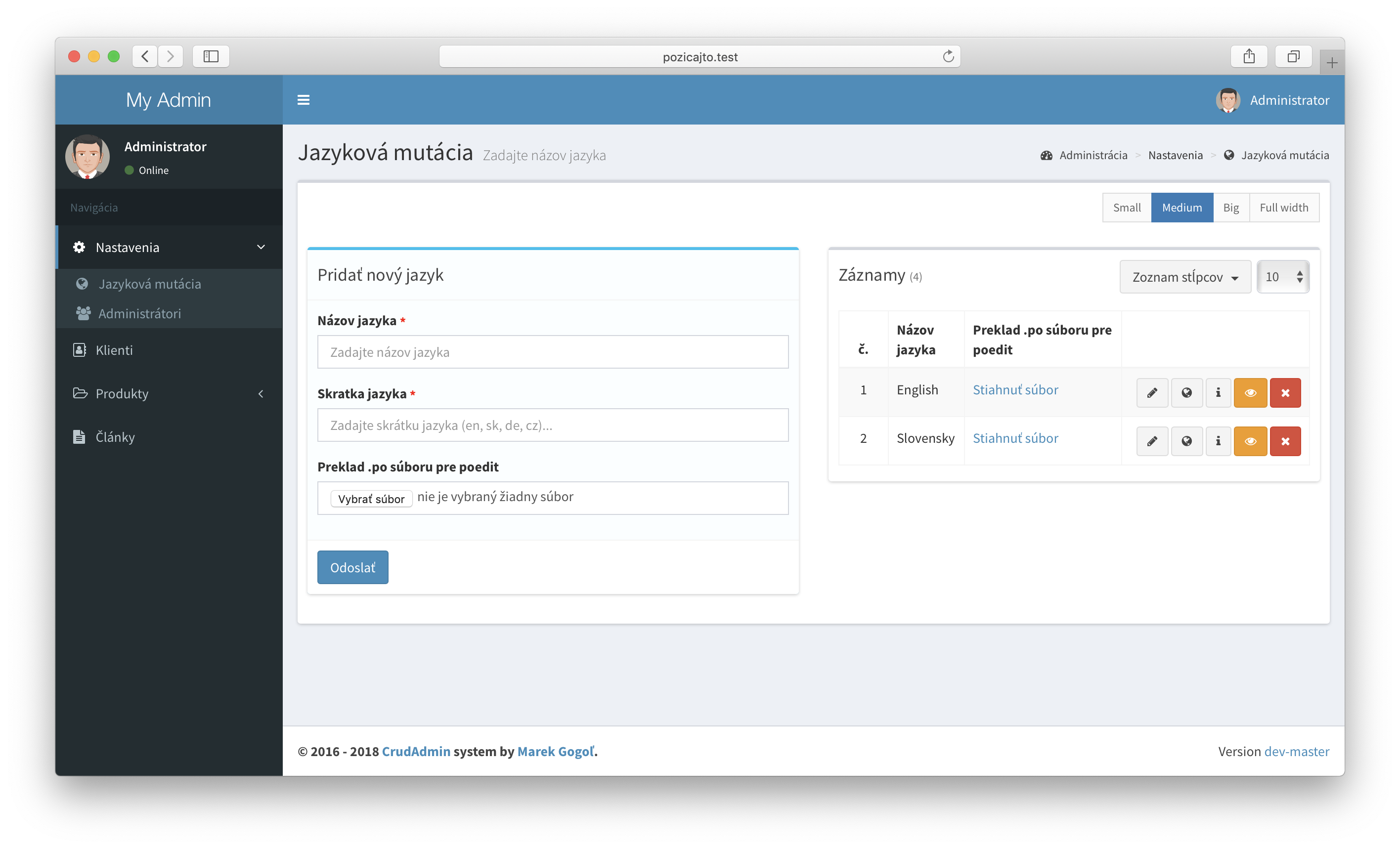
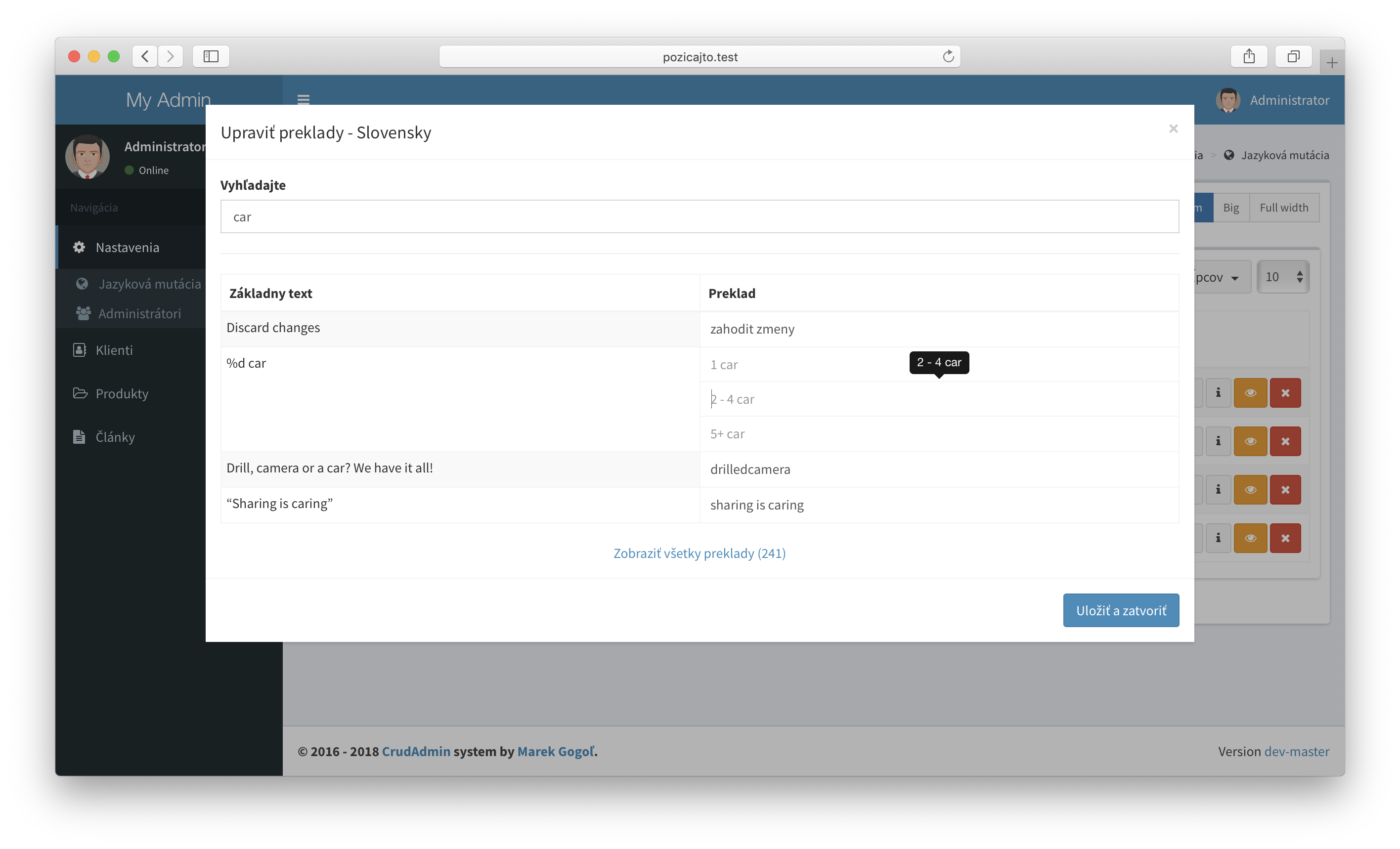
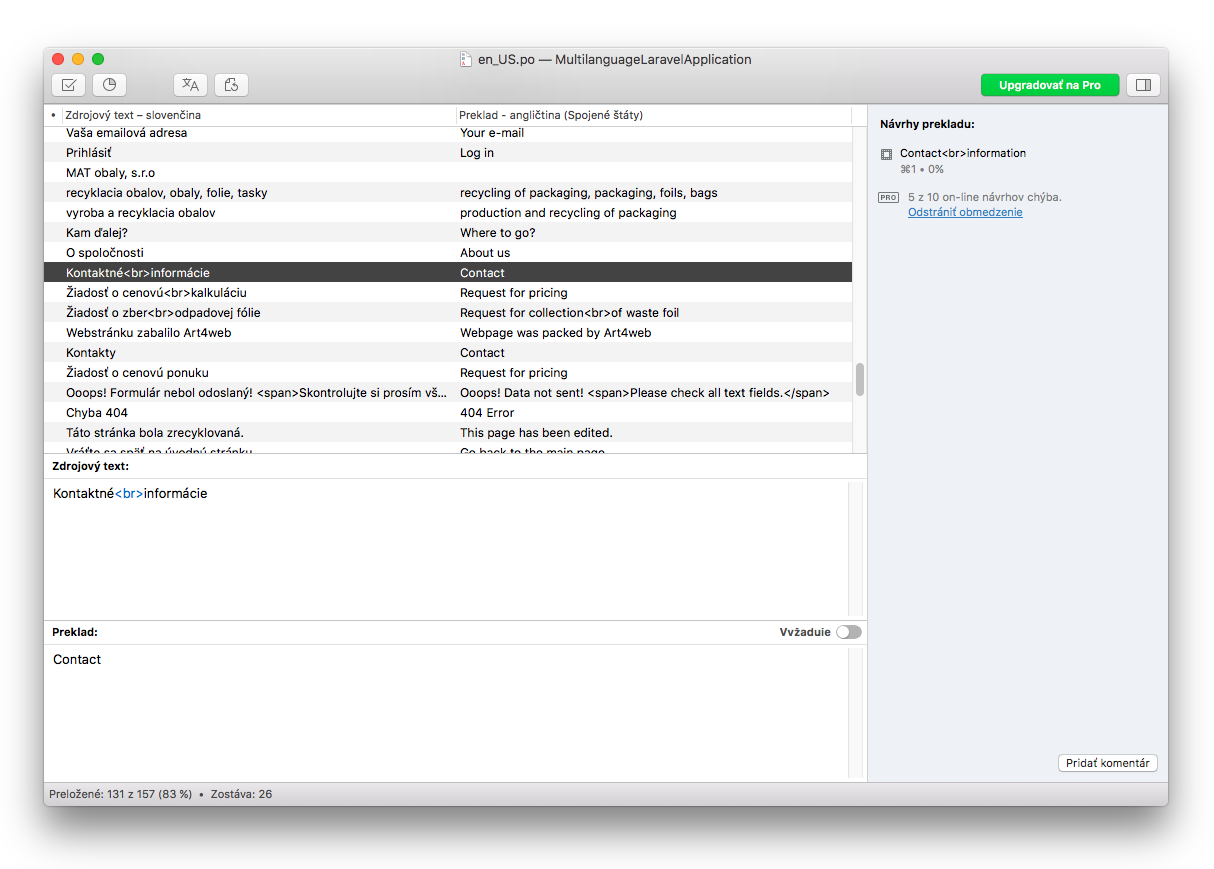
Translating dynamic content
Once language versions and static text translations are set up, the interface for translating the dynamic content stored in the database can be generated too.Mirrored content
With mirrored content the record exists once in the database, and each translatable column holds a value for every language. Add thelocale parameter to the fields you want to translate.
app/Models/Project.php
Required translations
Required rules of alocale field apply only to the default (first) language, other languages are optional. The model can choose another language, null uses the default one.
Records owning a language
Models like clients or notifications can remember the language of a record, e.g. to send e-mails in the language of the client. Declare alanguage_id field bound to languages and use the HasEntryLocales trait.
app/Models/Client.php