

The config file
The installer publishesconfig/admin.php with the most common keys. Every other key described on this page has a package default, add it to config/admin.php only when you want to change it. Values from config/admin.php always win over the package defaults.
Config cache
php artisan optimize and config:cache work with CrudAdmin, the packages are not merged again on top of a cached config. See Deployment.
- Config files do not support closures (
function () {},fn () =>),config:cachefails on them. Where a value has to be resolved per request, use a[Class::class, 'method']callable of a static method; the logo, the groups of a package andadmin_helpers.auth.otp.useraccept it. - Call
env()only in config files. With a cached configenv()returnsnulleverywhere else, read the value throughconfig(). php artisan admin:upgrade:cacheofcrudadmin/upgradelists the closures in config files and theenv()calls outside them.
Basic settings
Administration name
Shown in the page title, and used as a text logo when no logo is set.config/admin.php
Module groups
With a larger number of admin models it helps to group the modules. Groups, their names, icons and the order of the whole menu are declared in the navigation section ofbootstrap/admin.php, not in config/admin.php.
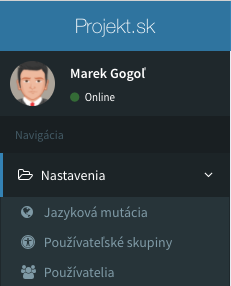
groups config key of older versions is moved there by php artisan admin:upgrade:navigation. Packages still merge their groups into config('admin.groups'); such a group is used when the navigation section does not name it, and a group key without any definition is displayed as its key.
Branding
config/admin.php
appearance.dashboard, resources/views/admin/dashboard.blade.php is rendered when it exists. Registering Vue components from your scripts is described in Vue app.
License key
config/admin.php
Authentication
Login
config/admin.php
Application namespace
Root namespace and class name of the admin auth model, used byadmin:install and when resolving the auth model. Where models are loaded from is set by models.
config/admin.php
Administrator roles
Enables user groups with permissions per module, see Permissions.config/admin.php
Admin::isRolesEnabled() returns the value of the key. Without roles every administrator has full access.
Localization
Language versions and Gettext are configured with thelocalization and gettext groups, and with locale. See Localization.
Models and components
Model and module directories
Admin models are discovered inApp, App\Model, App\Models and App\Eloquent. Global model modules are loaded from app/Admin/Modules and applied to every model.
config/admin.php
app_path() itself.
Vue component directory
Components for fields, buttons, columns and layouts are loaded recursively from the listed directories. Relative paths are resolved from the project root, and the package components directory is always added.config/admin.php
Buttons also look into
resources/views/admin/components/buttons, layouts into .../layouts and field components into .../fields. For a comma separated list of field components, every existing component is loaded and missing ones are skipped.
The
<style> block of a component is dropped. Put component CSS into a global stylesheet, see branding.Field rule aliases
custom_rules expands a field parameter into other parameters, global_rules adds parameters to every field of a type. Application values override the package ones.
config/admin.php
global_rules.
Default form autocomplete
Defaultautocomplete attribute of form inputs in all models, off by default. A model can change it with the form.autocomplete setting.
config/admin.php
Uploads and images
Uploads disk
config/admin.php
Admin::getUploadsStorage() returns the uploads disk, Admin::getUploadsStorage(true) the private uploads disk.
Disk space
Files of deleted records and files replaced by a new upload are deleted from the disk. Setfalse to keep them. A model can keep its files with $deleteFiles = false.
config/admin.php
Upload filenames
Files with the same name get-1, -2 suffixes. With the postfix enabled, a random suffix is added instead, which avoids existence checks on remote disks.
config/admin.php
Images
config/admin.php
WebP copies
Every resized image also gets a.webp copy stored next to it.
config/admin.php
Resized images
config/admin.php
Change history
Enables the change history. Models record their field changes only with$history = true.
config/admin.php
Admin::isHistoryEnabled() returns the state of the switch.
Editor
File browser
File browser of the editor field.config/admin.php
lfmrequirescomposer require unisharp/laravel-filemanager.ckfinderis a commercial package downloaded byphp artisan editor:ckfinder:download, licensed per hostname. The license is never sent to the browser.
filemanager array. Old boolean settings were removed in v6; see the
upgrade guide.
Optional modules
Frontend editor
Available with the
crudadmin/website package (composer require crudadmin/website).uploadable() and linkable() helpers. See Frontend editor.
config/admin.php
Site tree
Available with the
crudadmin/website package (composer require crudadmin/website).config/admin.php
Slug history and SEO
Slug history (history.sluggable) and SEO of routes (the seo group, available with crudadmin/website) are described in Pretty URLs and SEO.
REST API
Requests to the REST API of thecrudadmin/api package are logged by default. max_per_page limits the per_page parameter of the rows list.
config/admin.php
Localized routes
Register localized routes withlocalizedRoutes(). The unused routes config key was removed in v6.