1
Create an admin model
2
Migrate the database
3
Done
A fully working administration section is live.
The administration interface
CrudAdmin builds the whole administration environment from your admin models, including the navigation menu, and links everything together.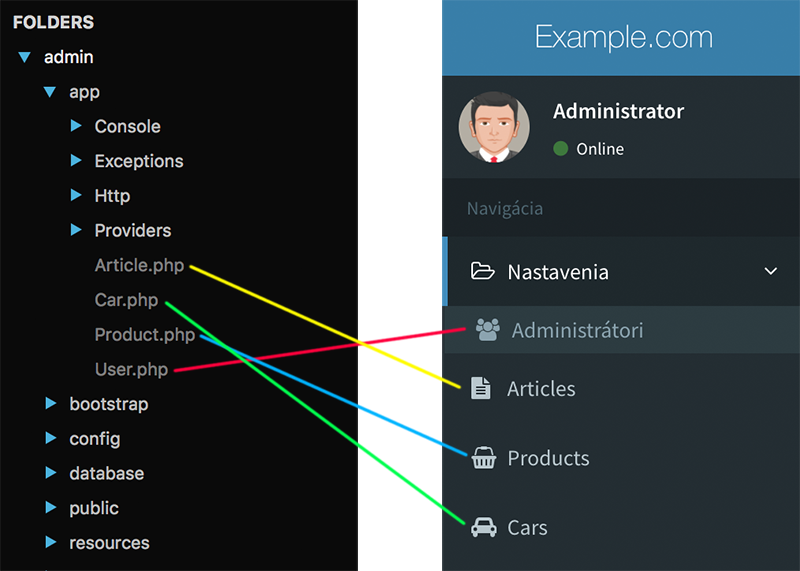
Form generation and validation
Forms and their validation are assembled from the configuration in the admin model.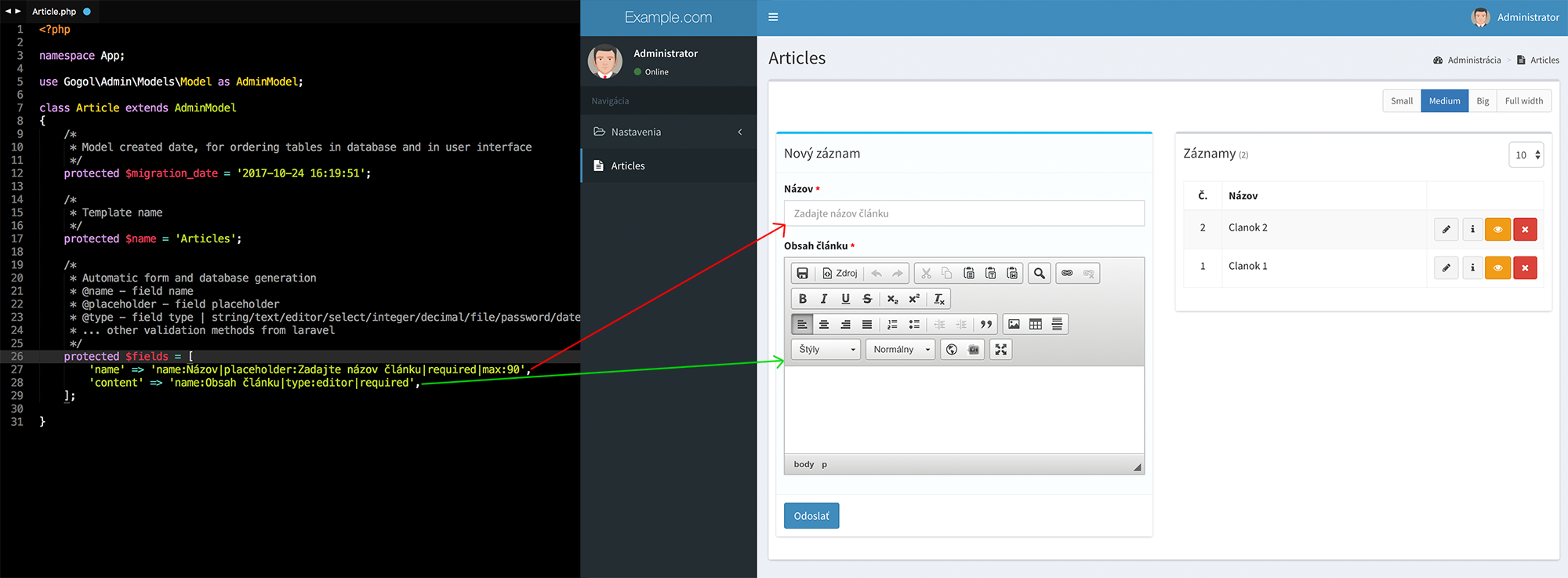
Database design
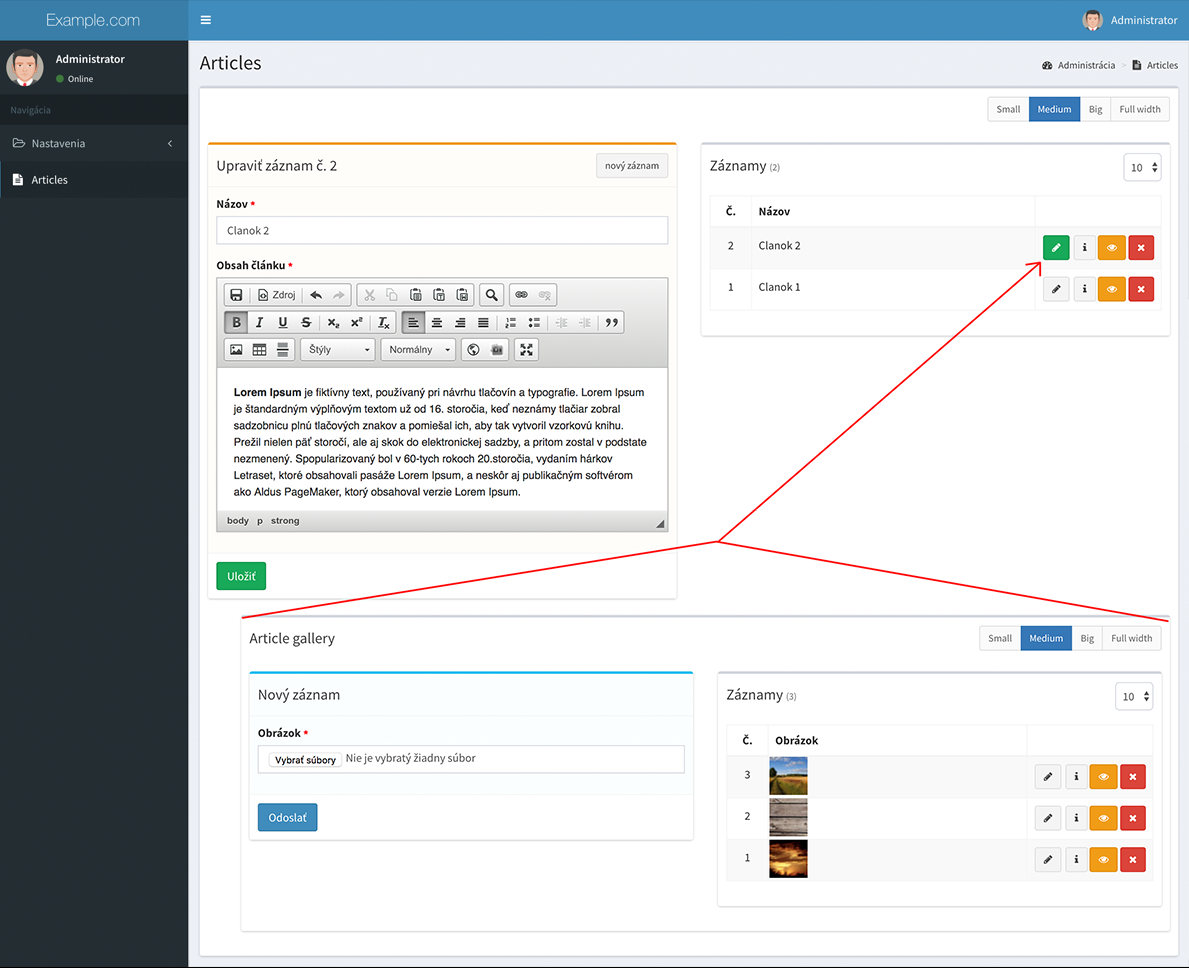
The database and its relations are designed from the fields defined in the admin model. When a model carries parameters that describe a relationship with other models, CrudAdmin creates the relations in the database and connects the generated forms in the interface. Every relation type is supported. The example below shows a one to many relation.1. Linking admin models through a relation
This example links two admin models with the belongsToModel property. Once linked, opening the parent record shows a nested section for the related model.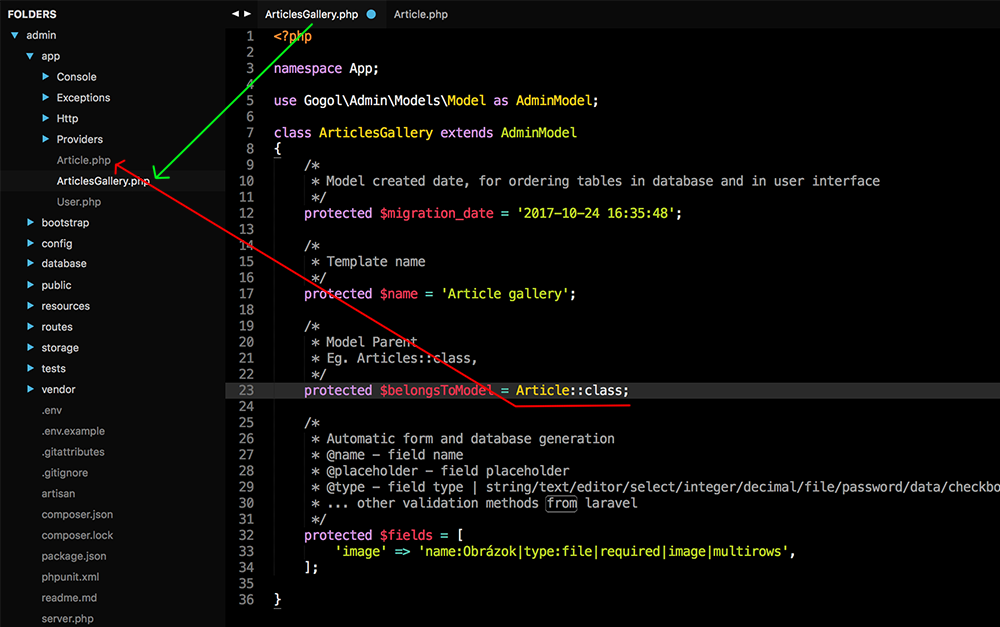
2. Migrating the database
Any change in the admin model that is represented by a database column has to be migrated with anartisan command.
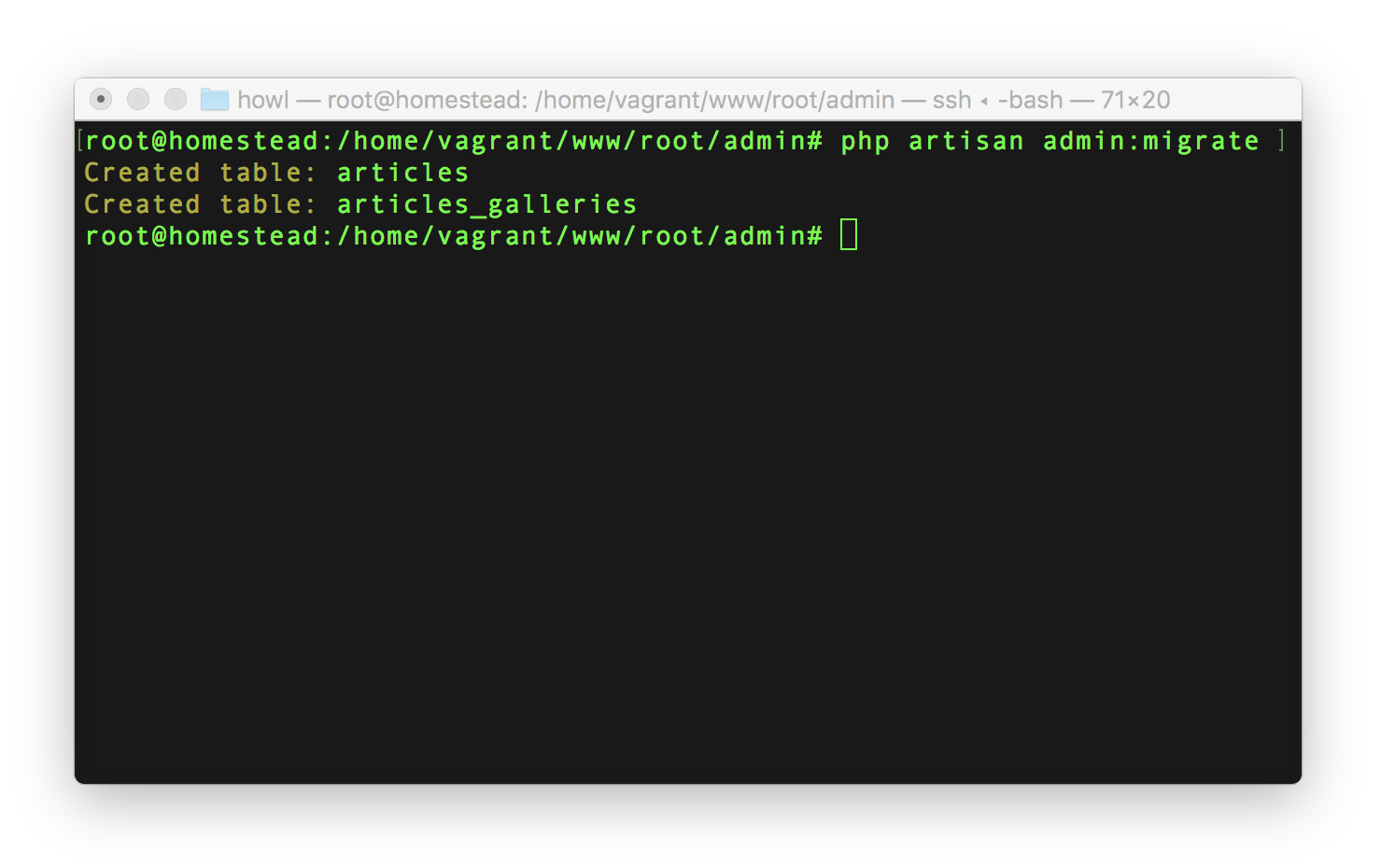
3. Generated tables and relations
From the fields in the admin model, CrudAdmin created the database tables, set the column types and built the relations between them.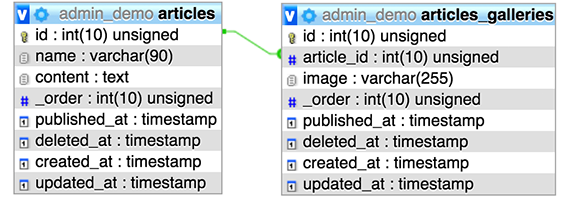
When you add new fields to an existing table, CrudAdmin adds the columns automatically — you do not write migrations.
Depending on the admin model configuration, CrudAdmin adds extra columns such as the record position, slug, publication date and timestamps (
_order, slug, published_at, created_at, updated_at, deleted_at). See automatic columns.4. The generated interface with a nested relation
Opening the parent record reveals a nested form for managing the related content. Models can be nested to any depth.